 David Kim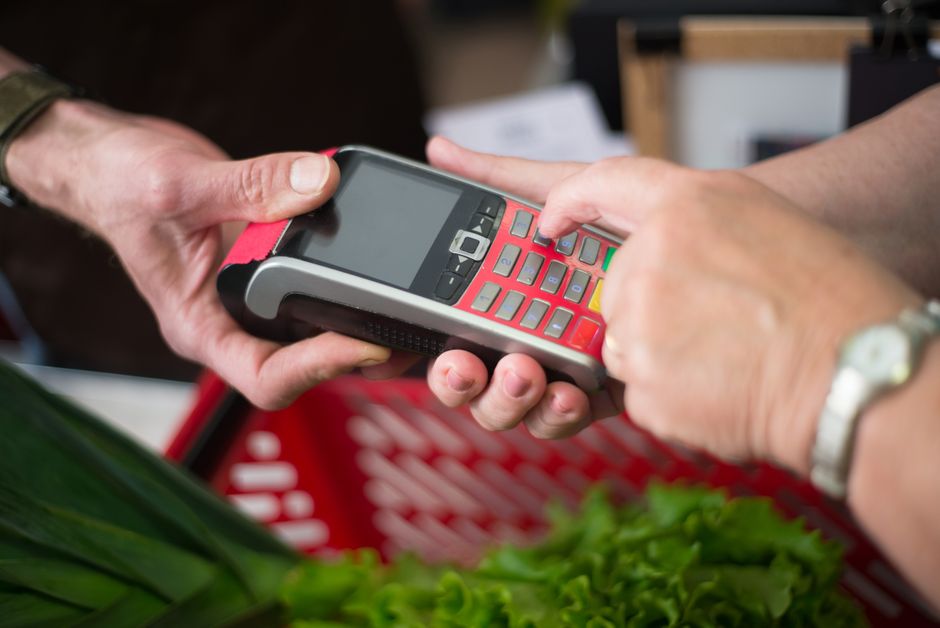
Most small business owners pick their point of sale system the same way they pick a contractor: whoever shows up first with a decent pitch and a confident handshake. I’ve watched this happen dozens of times, and it almost always costs them money.
Not just setup money. I’m talking about transaction fees compounding quietly for years, a system that can’t generate the inventory report their accountant needs, or a monthly software subscription that made sense for a coffee shop but is wildly overkill for a two-person boutique. The POS decision feels small in the moment. It isn’t.
So let me give you the version of this guide that I wish someone had handed my clients before they signed anything.
What a POS System Actually Does (and What It Doesn’t)
A point of sale system is, at its core, where money changes hands and the record of that transaction gets created. Hardware, software, payment processing. That’s the basic stack.
But here’s what most people don’t realize until they’re already locked in: the POS isn’t just a cash register. It’s the data spine of your business. Every sale flows through it. Every refund. Every inventory adjustment. If your POS doesn’t talk cleanly to your accounting software, you’re going to spend real hours every month reconciling numbers that should reconcile themselves automatically.
The systems sold today (as of July 2026) generally fall into three categories:
Cloud-based SaaS systems. Think Square, Clover, Toast, Lightspeed. Monthly subscription, updates automatically, accessible from any device with internet. This is where most small businesses should start.
Hybrid systems. Software runs locally but syncs to the cloud. More resilient if your internet drops, which matters more than you’d think if you’re in a rural area or run outdoor events.
Legacy on-premise systems. You own the software, it lives on a local server, you pay for updates separately. These are still around in certain industries (some full-service restaurants, auto dealers) but I’d steer most small business owners away from them in 2026. The ongoing IT headache rarely justifies the control.
The Numbers That Should Drive Your Decision
Helpful resource: Profit First by Mike Michalowicz is a top-rated option for this. (As an Amazon Associate this site earns from qualifying purchases.)
I’ll be direct: this is where people get it wrong most often. They compare the monthly subscription costs and ignore the transaction fees. That’s backwards.
If you’re processing $30,000 a month in card sales (not unusual for a busy retail shop or salon), the difference between a 2.6% flat rate and a 2.9% + $0.10 rate sounds trivial until you do the math. That gap is roughly $180 a month, or $2,160 a year. More than most monthly software fees.
Here’s a real example from my consulting work:
A specialty pet supply store in the suburbs of Columbus was running Square at 2.6% + $0.10 per transaction. Their average ticket was $22. They were processing about 1,400 transactions a month. The $0.10 per-transaction fee alone was costing them $140/month extra compared to a flat-rate processor. We switched them to Lightspeed with a flat 2.6% rate, and they saved just under $1,500 in the first year without changing anything else. The Lightspeed subscription cost $69/month more than Square. Still came out ahead by about $650 annually.
Scenario: Small retail store with 1,400 monthly transactions at $22 average ticket → Switched from per-transaction fee model to flat-rate at same percentage → Net savings of approximately $650/year after accounting for higher software cost.
Run your own numbers before you default to whatever’s most popular. The IRS small business tax center also has guidance on how to categorize these fees correctly for deduction purposes, which is worth reviewing with your CPA at year-end.
The Hardware Question
I used to tell clients to buy their own hardware outright whenever possible. I still lean that way, but I’ve softened slightly.
Renting hardware through your POS provider (Clover does this, Toast does this aggressively) ties you to their processing rates for the life of the equipment. That’s the catch. I’ve seen restaurant owners locked into Toast at rates they couldn’t renegotiate because the hardware lease ran three more years. If you rent, read the cancellation terms before you sign anything.
Buying your own hardware has upfront costs but gives you flexibility. A basic Square terminal runs around $299. A full iPad-based Lightspeed setup with a receipt printer, cash drawer, and card reader will run you $600 to $900 depending on what you buy. For a single-register setup, that’s a very reasonable one-time cost.
For mobile businesses (food trucks, market vendors, pop-up shops), the card reader-on-a-phone model is genuinely sufficient. Square and PayPal Zettle both offer free or very cheap readers. Don’t overbuy.
Matching the System to the Business Type
| POS System Type | Best For | Key Advantage | Key Drawback |
|---|---|---|---|
| Cloud-based SaaS (Square, Clover, Toast, Lightspeed) | Most small businesses | Automatic updates, accessible anywhere, minimal IT overhead | Subscription fees, internet dependency |
| Hybrid Systems | Rural areas, outdoor events | Works offline, syncs to cloud | More complex setup |
| Legacy On-Premise | Specific industries (full-service restaurants, auto dealers) | Full control, no subscription | Ongoing IT costs, outdated by 2026 |
| Square for Restaurants / Toast | Quick service, cafés, full-service restaurants | Kitchen display integration (Toast), simplicity (Square) | Toast pricing steep and aggressive contracts |
| Lightspeed Retail / Shopify POS | Retail with multiple SKUs, omnichannel needs | Excellent inventory management, unified channels | Higher cost for simple operations |
| Square Appointments / Vagaro | Salons, spas, barbershops | Appointment scheduling, service-focused workflows | Limited for retail inventory |
| Card reader on phone (Square, PayPal Zettle) | Mobile businesses, food trucks, pop-ups | Low cost, maximum portability | Limited reporting, hardware limitations |
This is where generic guides fail you, so let me actually be specific.
Food service (quick service / café): Square for Restaurants or Toast. Toast has better kitchen display integration and table management for full-service, but their pricing can be steep and their contracts are aggressive. Square is better for low-complexity, lower volume. I’ve recommended Square to probably 40 coffee shops over the years and almost none have outgrown it.
Retail (boutique, gift shop, specialty goods): Lightspeed Retail or Shopify POS. Lightspeed has genuinely excellent inventory management, which matters if you carry hundreds of SKUs. Shopify POS makes sense if you’re already running a Shopify online store and want unified inventory across both channels.
Service businesses (salon, spa, barber): Square Appointments or Vagaro. These are appointment-centric systems that happen to have POS built in, rather than POS systems with a bolt-on calendar. Get the one built for your workflow.
Full-service restaurant: Toast, Lightspeed Restaurant, or Revel. This is the most complex category. I’d honestly say: get demos from all three, ask specifically about the cost to exit the contract, and call two or three current customers as references. I thought I knew which system was best here until a restaurant client showed me her actual monthly statement from Toast, and I revised my opinion pretty fast.
Scenario: A six-table full-service restaurant in Portland switched from a legacy Aloha POS system to Toast in early 2025 → Reduced end-of-night reconciliation time from 45 minutes to about 8 minutes, and eliminated a separate reservation platform → Saved roughly $180/month on combined subscriptions and 30+ hours of staff time per month.
Integration: The Thing Everyone Ignores Until It’s a Problem
Your POS needs to talk to your accounting software. Ideally without you manually touching anything.
QuickBooks Online integrates natively with Square, Clover, and Shopify POS. Xero plays well with Lightspeed and Square. If you’re using something more specialized (FreshBooks, Wave), verify the integration before you commit. A third-party connector like A2X (common for Shopify) usually costs $20-$50/month and works reliably, but it’s one more thing to manage.
The Consumer Financial Protection Bureau’s small business resources include some useful plain-language guidance on understanding payment processor agreements, which is worth bookmarking before you sign a merchant services contract. These contracts are where surprises hide.
Sources
- Square Pricing Page (current as of July 2026): Published transaction fee and hardware pricing for Square POS products
- Toast Restaurant POS: Published subscription tiers and hardware lease terms, reviewed July 2026
- Lightspeed Commerce pricing: Published monthly plans and transaction rates for Retail and Restaurant products
- IRS Small Business and Self-Employed Tax Center: Federal guidance on deductibility of business expenses including payment processing fees
- Consumer Financial Protection Bureau: Plain-language guidance on payment processor contracts and merchant agreements
This article is for general informational purposes only and does not constitute financial, tax, or legal advice. Business finance and tax rules vary by entity type, state, and individual circumstances. Consult a qualified CPA, enrolled agent, or business attorney for advice specific to your situation.
Recommended Resources
Disclosure: As an Amazon Associate, we earn a small commission from qualifying purchases at no extra cost to you. We only recommend products that genuinely support the topics covered in this article.
- Mastering QuickBooks 2025 (~$32), The most comprehensive QuickBooks 2025 guide, covers bookkeeping, payroll, invoicing, tax prep, and cash flow.
- Accounting for Small Business Owners (~$14), Beginner-friendly accounting guide covering basic bookkeeping, financial statements, and managing business taxes.